Leads arrive, then sit
A form gets submitted. A chat starts. A missed call comes in. Someone intends to follow up, but the day gets busy and the lead cools off before the business responds.
WHAT WE BUILD // ROUTING AND FOLLOW-UP
Automation Hallways connect forms, chat, missed calls, booking, reminders, notifications, and follow-up paths so real inquiries do not stall after the page visit. The buyer acts. The next step should already know where to go.
WHAT IT IS
"Automation Hallways are Smart Website Pro's routing and follow-up layer inside the Digital Home. They move buyers from website actions into the right next step: a text, a booking, a team notification, a reminder, or a follow-up path. The goal is simple: fewer serious inquiries lost to silence."
A Digital Home should not stop working when someone fills out a form or starts a chat. That action is the beginning of the conversion path. The hallway carries the context forward so the business can respond faster and with less guesswork.
WHO THIS IS FOR
Leads arrive, then sit
A form gets submitted. A chat starts. A missed call comes in. Someone intends to follow up, but the day gets busy and the lead cools off before the business responds.
Every channel lives in a different place
Calls are on the phone. Forms are in email. Chat is in another dashboard. Texts are on someone's device. No one has the full picture, so follow-up depends on whoever notices first.
Good estimates die in silence
The buyer asked for help, got a response, and then disappeared. There is no timed follow-up, no reminder, no second touch, and no way to keep the conversation moving without manual effort.
Past customers never hear from you
The business has a list of people who already trusted it once. But reminders, review requests, reactivation, and return paths are not wired into the website's lead system.
HOW IT WORKS
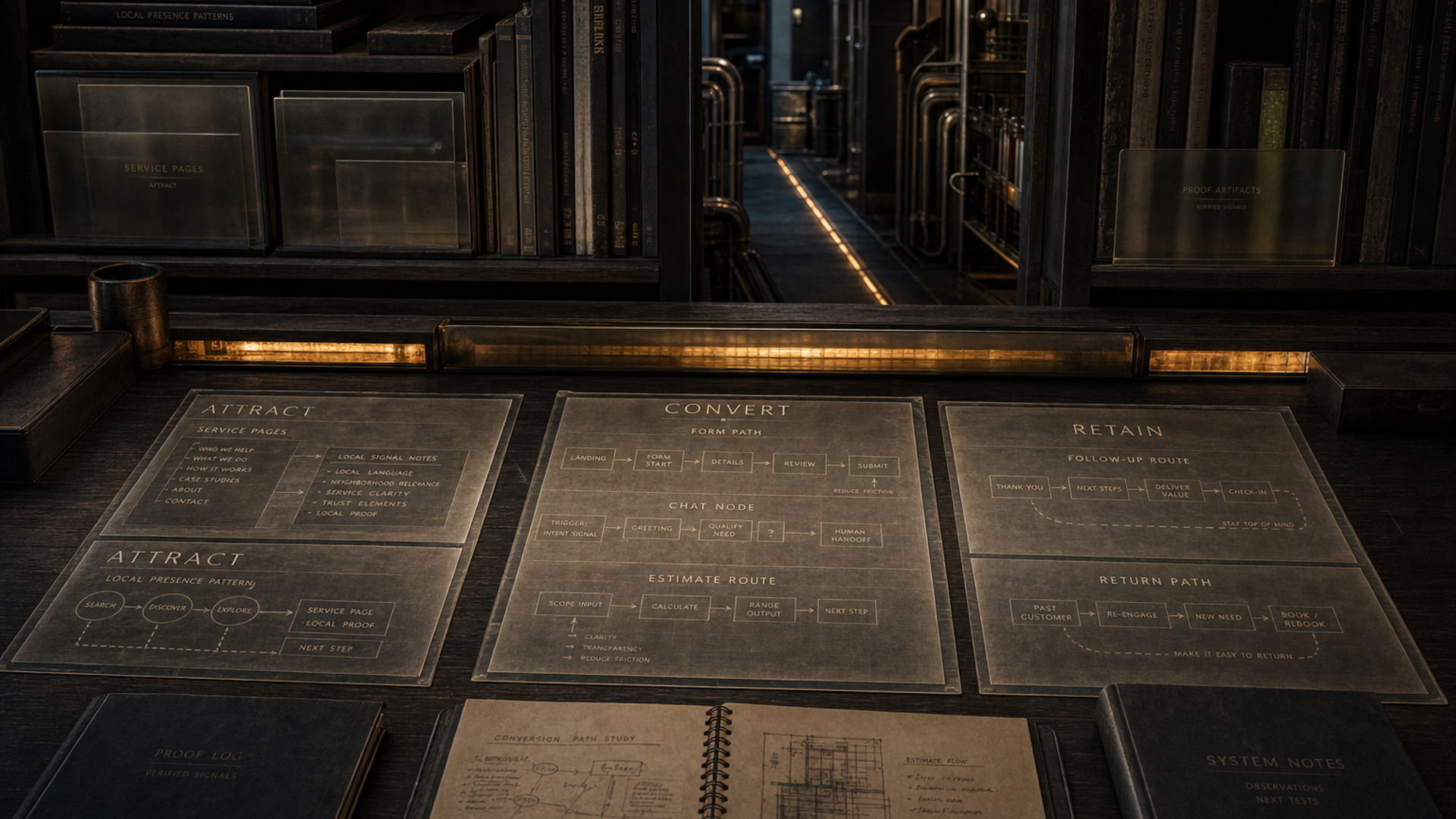
We identify every place a buyer can raise their hand: call, form, chat, booking, estimate request, missed call, contact page, and Blueprint path. Each action gets a job.
The hallway should carry more than a name and phone number. It should carry service type, timing, location, urgency, conversation notes, and the page that started the request.
The right people need the right signal fast. Notifications, summaries, handoffs, and booking paths are planned around how the business actually responds.
If the buyer does not act right away, the next message should not depend on memory. SMS, email, reminders, and reactivation paths keep the opportunity alive.
The business needs to see what happened: where the lead came from, what was asked, what was sent, and whether the next step was completed.
WHAT GETS CONNECTED
Website forms should send useful context to the right place, not drop a vague message into a shared inbox.
Web Chat conversations should capture the question, contact details, and summary before routing to booking or a team member.
When a call cannot be answered, the first text should fire while the buyer is still warm.
Ready buyers need a path to schedule without starting over on another page or repeating the same details.
Appointments, estimate follow-ups, review requests, and open conversations need timed reminders so fewer opportunities slip.
Past customers and old leads can become active again when the right message brings them back at the right moment.
SCOPE // WHAT SHAPES THE PLAN
Pricing is not published here because the right plan depends on entry points, tools, channels, message approvals, team response behavior, and follow-up requirements. The Digital Home Blueprint maps the leak points before anything gets wired.
Start Your BlueprintA site with one form is simpler than a Digital Home with chat, missed-call text back, estimate paths, booking, and multiple service funnels.
The system has to fit the business's real follow-up behavior: owner-led, office-led, dispatcher-led, estimator-led, or a mix.
Missed-call texts, appointment reminders, reactivation messages, and estimate follow-ups should use approved language and clear opt-out handling.
Automation Hallways can connect around the tools already in place, but the route map has to be clear before anything gets wired.
SIGNS YOU NEED IT
A buyer who fills out a form, starts a chat, or calls after hours is not asking for a process diagram. They want movement. The hallway should carry their context into a next step before they call someone else.
QUESTIONS ABOUT AUTOMATION HALLWAYS
Automation Hallways are the routing and follow-up layer inside the Digital Home. They connect forms, chat, missed calls, booking, estimate requests, notifications, reminders, and reactivation paths so serious visitors keep moving after they raise their hand.
A hallway connects rooms. In the Digital Home, the public pages are where buyers read, compare, and ask questions. The Automation Hallways move the buyer from that action into the next step: a text, a booking, a team notification, a follow-up sequence, or a return path.
Client Capture Pro System™ is the broader capture system that connects the website to calls, forms, chat, booking, estimates, routing, and follow-up. Automation Hallways are the routing layer inside that system. They focus on what happens after the buyer acts.
Common actions include form submissions, chat conversations, missed calls, appointment requests, estimate requests, Digital Home Blueprint entries, service questions, quote follow-ups, review requests, and past-customer reactivation.
No. It handles timing, context, reminders, and routing so the team is not starting cold. Real conversations still happen with the business. The hallway makes sure the business gets the right context at the right time.
The form should create a useful lead record, send the right notification, attach page and service context, and trigger the agreed next step. That might be a text, an email, a booking prompt, an internal alert, or a follow-up sequence.
Yes. Missed-call text back is one of the clearest hallway examples. When a call cannot be answered, a text can go out within seconds so the buyer has a path to keep talking instead of calling the next company.
Yes. Estimate follow-up can be mapped so the buyer gets timely reminders, helpful next-step messages, and a way to continue without the estimator manually chasing every open request.
Scope depends on the number of lead paths, the current tools, the team's response process, the channels involved, the message approvals needed, and how much follow-up should happen automatically. The Digital Home Blueprint helps map that before build decisions are made.
Forms are only the starting point. If the form does not route quickly, carry context, trigger the right next step, and keep the buyer warm, the opportunity can still leak. Automation Hallways fix the gap after the form submit.
NEXT ROOMS // KEEP MOVING
See the broader capture system that connects calls, forms, chat, booking, estimates, routing, and follow-up.
Open this pathGive visitors a conversational path that answers questions, captures contact details, and hands off with context.
Open this pathKeep missed calls, open estimates, reminders, and past-customer opportunities from going quiet.
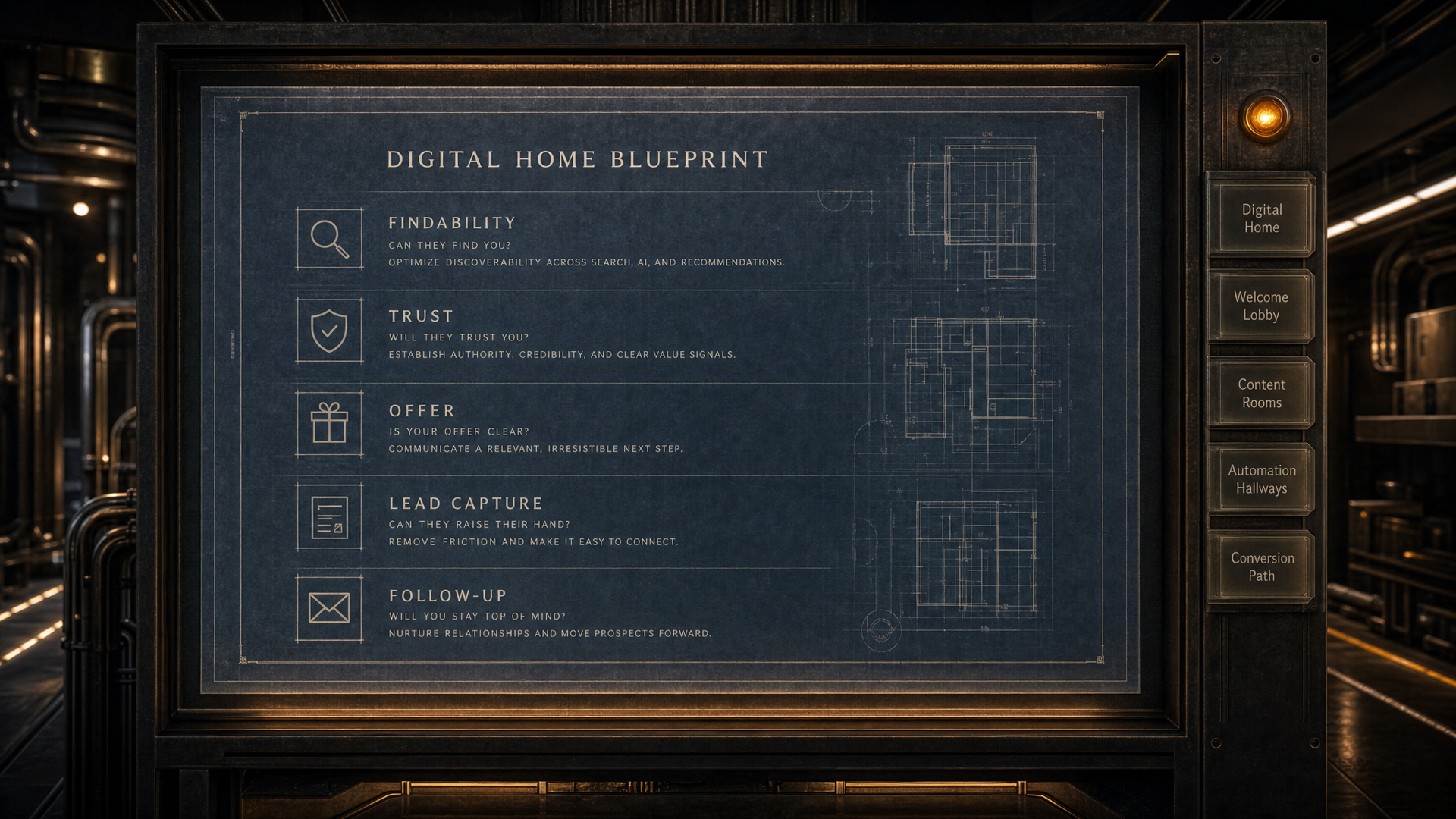
Open this pathDIGITAL HOME BLUEPRINT // READY
The blueprint reviews your services, proof, buyer questions, lead paths and follow-up structure, then shows what should be fixed or built first.